
colorseasonai.com
Free AI color season analysis — upload a photo, let our AI color analysis read your undertones, and generate your perfect 12-season color palette in seconds.
Your photo is sent securely for AI color analysis. Signed-out photos are not saved.
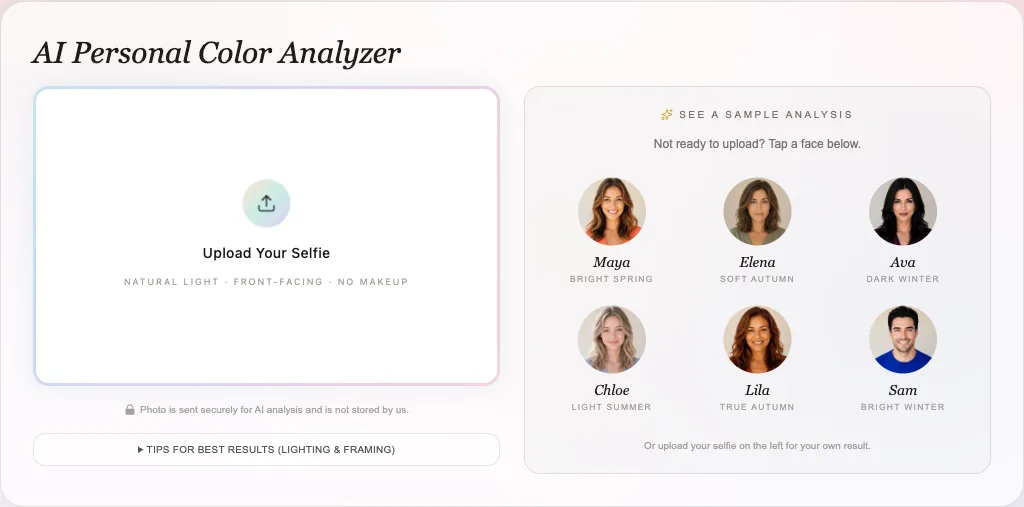
See a sample AI color analysis
Not ready to upload? Tap a face below.
Or upload your selfie on the left for your own result.
Three steps · about 30 seconds
Every screen below is the real tool, not a mock-up. Here is exactly what you hand over, what the AI measures, and what your finished color season analysis looks like before you upload a thing.
The result screens are the Bright Spring sample AI color analysis, so you can read the layout without uploading first. Yours is built the same way, from your own photo.
Stand near a window in daylight, face the camera, and skip the filter. There is no form to fill in and no account to make — the color season analysis starts the moment the photo lands.
Not ready to upload your own face? Tap one of the six sample faces and read a finished AI color analysis first.
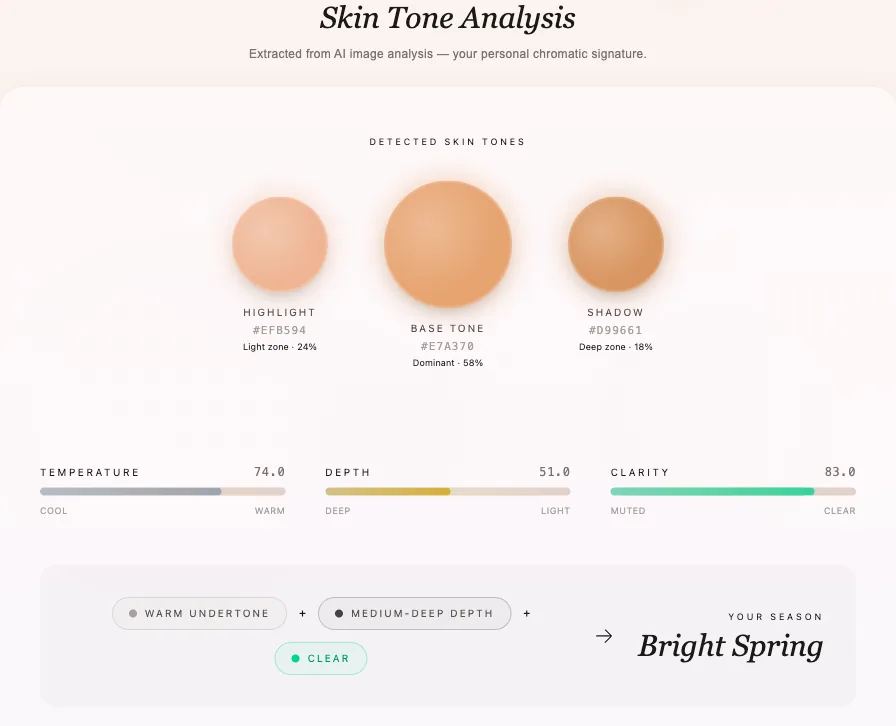
No vein-checking, no holding paper to your jaw. The AI color analysis reads the actual pixels of your skin and pulls out three tones — a light zone, your dominant base, and a shadow zone — then scores how warm, how deep, and how bright or soft your coloring is. Those three numbers are what the whole color season analysis is built on.
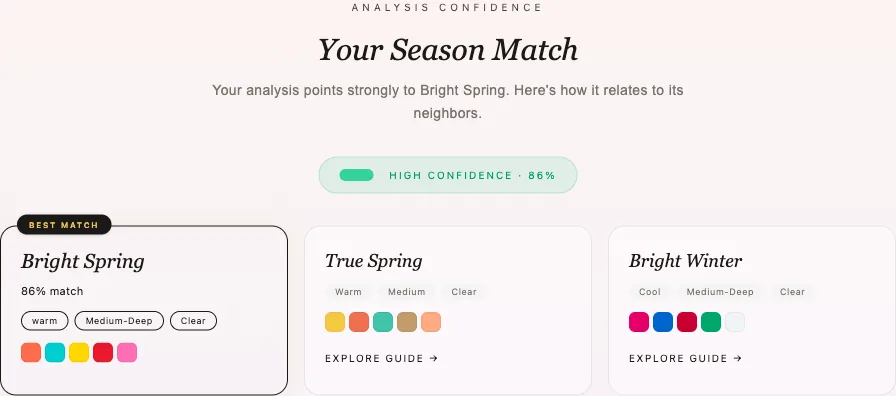
Your three scores put you somewhere on the 12-season map, and the nearest season becomes your result. It arrives with a confidence figure and the two seasons that came closest, because plenty of faces genuinely sit on a border.
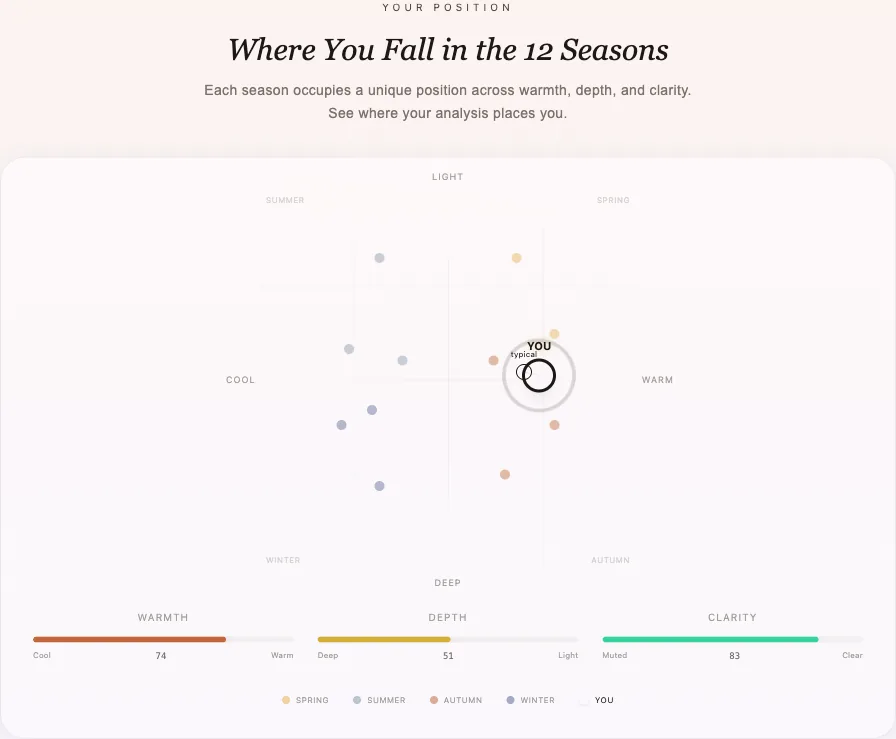
Then the report opens
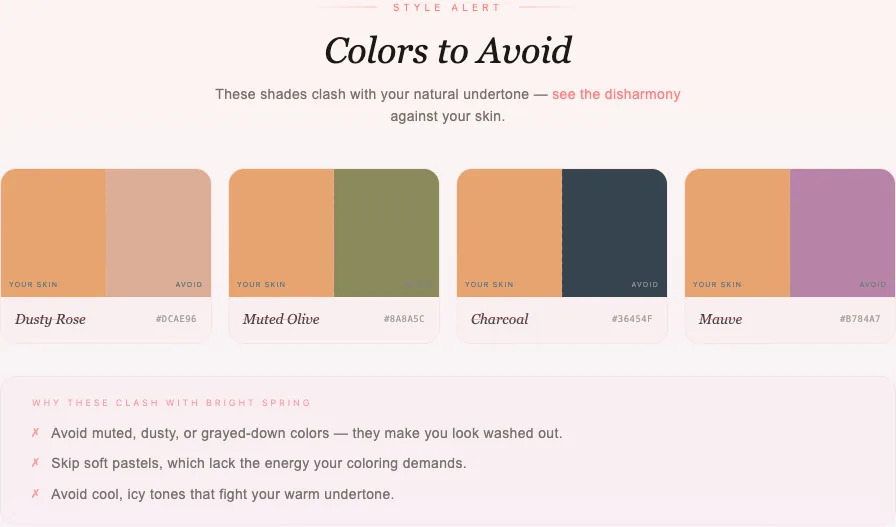
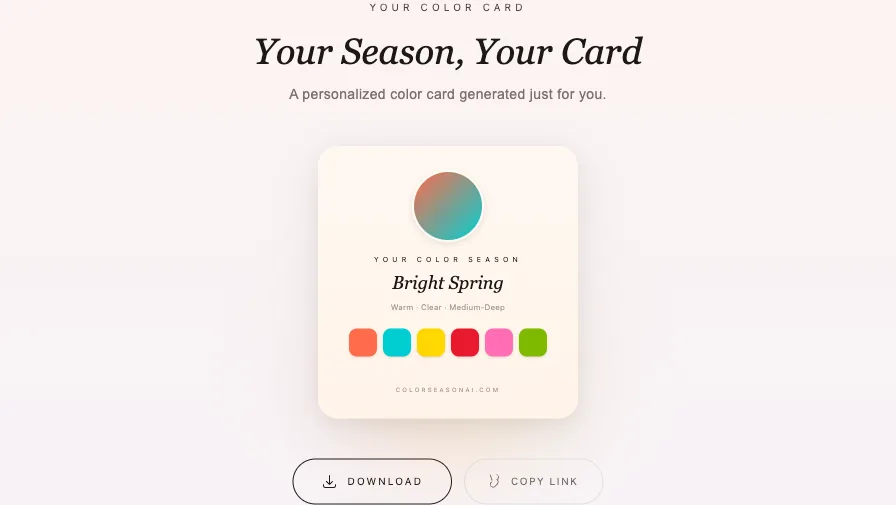
Not a one-word answer. Below is the Bright Spring sample AI color analysis report, laid out exactly the way yours will be — ten sections you can scroll, tap and take shopping.
Run the AI color analysis without signing in and the result lives on this device for 60 minutes, then it is deleted. Make a free account inside that hour and the analysis is kept for good — along with your Decision Card, makeup profile and the rest of your style path.
Free, no card. Prefer to answer questions instead of uploading? Take the color analysis quiz.
Your Palette
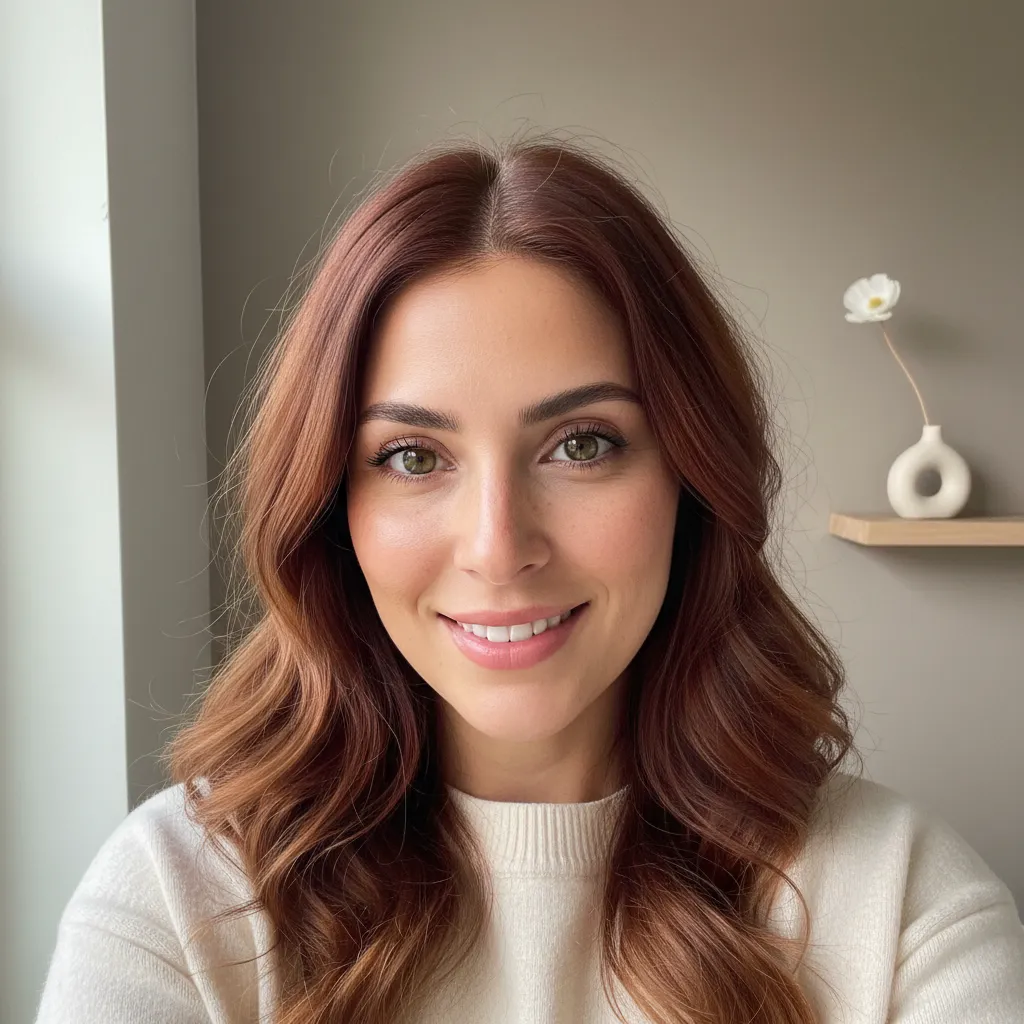
The AI color analysis scans your face for skin undertone, eye color, and hair color — then maps them onto the 12-season system to generate a personalized palette you can use for wardrobe, makeup, and hair color decisions.
No guesswork. No expensive consultations. Just upload a selfie and get your seasonal color profile in under 30 seconds.
~80%
Accuracy, self-tested
30s
Average Time
12
Season Types
Seasonal color analysis is a transformative method that matches your natural skin undertones, hair, and eye colors to a specific color palette associated with the four seasons. Wearing your correct season's colors makes your skin glow, eyes pop, and gives you a harmonious, healthy appearance. An AI color analysis does that matching from a single photo instead of a drape session.
Each season has a distinct palette that harmonizes with your natural coloring. Browse the four below, or let the AI color analysis place you in one.
01
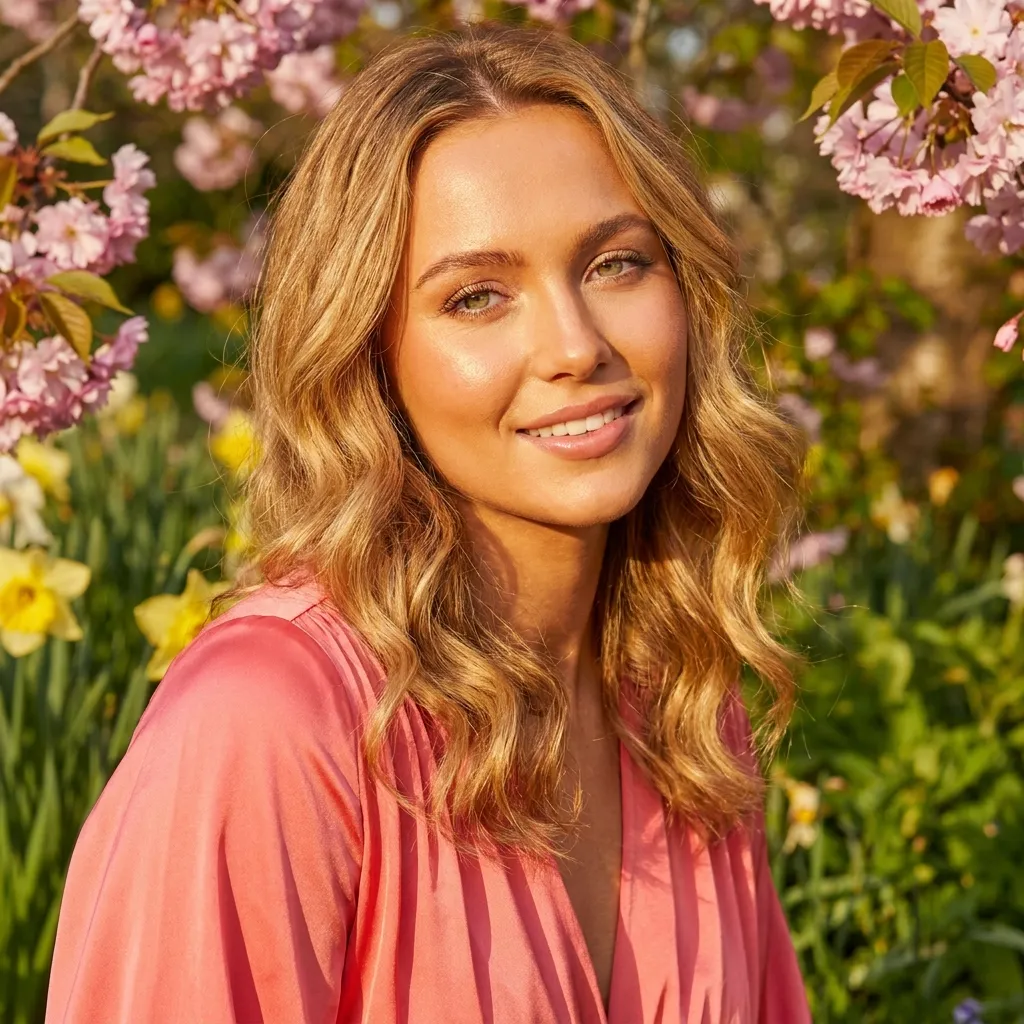
Warm and clear. Golden undertones, bright eyes, and a fresh glow that comes alive in vivid hues.
Variations: Light Spring, True Spring, Bright Spring.
Style Tip: Opt for gold accessories and warm-toned fabrics that echo sunlight.

A note from the founder
I used to stand in front of an overflowing wardrobe and still feel stuck — as if the clothes I bought last year no longer matched the person I was trying to become this year.
I've never been someone naturally gifted with fashion. Like a lot of women, buying clothes was my small way of rewarding myself after long, busy days. But the more I bought, the more overwhelmed I got: my closet grew more colorful, yet I'd stare at it with no idea which colors actually made my skin glow, or how to turn all those pretty pieces into outfits that felt like me.
That small, familiar frustration with getting dressed is exactly where this site began.
I began wondering — what if there were a simple, approachable tool that could help everyday people, not fashion professionals, discover the colors, combinations, and styling that actually work for them?
That idea became the personal color analysis tool you're using now. I built it as a solution for myself, and I hope it can become your own little wardrobe companion too — you don't need a perfect closet or a stylist's eye, just a bit of guidance to wear the clothes you already love with more confidence, clarity, and joy.
— The founder of Color Season AI ♡
01.
Unlike a human analyst swayed by taste, the AI color analysis reads objective pixel-level data from your own skin.
02.
No appointments, no waiting weeks for a report. Your color profile arrives in under 30 seconds.
03.
Editorial-grade styling advice for everyone, at a fraction of the cost of a consultation.
What runs when you upload
Face landmarks mark out both cheeks, your forehead, and your chin, then read the actual pixels there — the three real measurements the AI color analysis is built on. Nothing is guessed, and nothing has left your device yet.
This is the only step of the color season analysis that leaves your device. The model weighs undertone, depth, and chroma against your natural contrast, then names a season — and lowers its own confidence when the photo is hard to read.
Undertone, depth, and chroma are inherited from Munsell’s 1905 axes by way of Sci\ART, and skin is compared in CIELAB. How it works
Your photo is sent securely for analysis. Signed-out photos are not saved, and your photo is never sold. Privacy
Already uploaded a photo?
An AI color analysis settles which colors belong near your face. It does not settle the outline those colors frame, the haircut doing the framing, or why one photo reads five years older than another. Each of these reads the photo you already have.
01
Tape measures and mirrors disagree with each other. The free face shape detector maps 478 points and names the shape in about thirty seconds, entirely on your device.
02
Salon inspiration photos are of other people's heads. The AI hairstyle changer renders the length and parting on your own face, and hands you a brief to take to the chair.
03
Usually it is three things you control — contrast, the colour at your collar, and the light you shot in. The AI age guesser gives the range a stranger would guess, then points at which of the three moved it.
04
Yes — the full face analysis returns shape, proportion, apparent age and skin depth from one upload, drawn as four layers over your actual photo instead of a table of numbers.
05
Swatches on the back of a hand lie. The AI makeup generator renders your season's lipstick, blush and eyeshadow on the selfie you already uploaded, at the strength you choose.


Dress in your contrast.
In our own testing the AI color season analysis lands on your season — or the one directly next to it — roughly 80% of the time. We publish that figure rather than a rounder one because photo lighting genuinely moves the result: warm indoor bulbs, heavy filters, and hard shadows are the three things most likely to push you into the wrong season, so the AI color analysis flags them instead of quietly guessing. The full pipeline and its known failure cases are documented on our methodology page.
Natural, indirect daylight gives the AI color analysis the most to work with. Avoid direct sun, which throws hard shadows, and yellow or fluorescent lights, which distort your natural undertones.
Your fundamental seasonal category (based on skin undertone) generally stays the same, even as you age or your hair color changes. However, your specific 'best colors' within your season may shift slightly as you grow older.
One AI color analysis a day runs free with no account. Beyond that each run costs 3 credits: a free account starts with 3, checking in adds 1 a day, and the quiz and other browser-side tools stay free.