
AI Hair Color Changer
Upload a selfie and try any colour on your own hair — free at every pricing tier — or start on one of six models with hair like yours. Nothing leaves your browser.
An AI hair color changer is a tool that recolours the hair in your own photo so you can see a shade on yourself before you dye it. This one runs a 15.6 MB hair-segmentation model inside your browser, changes only hue and saturation, and keeps every pixel’s original lightness — which is why it can show you what it can honestly show, and why it will tell you when a shade is out of reach.
The cut matters as much as the colour: find your face shape with the same on-device approach, then preview the cut itself on the same photo before you settle the shade.
Square — broad forehead, angular jaw? The square face shape hairstyle guide covers the partings and lengths that soften it.
Why Dark Hair Goes “Highlighter” in Most Tools — and Stays Hair in This AI Hair Color Changer
Hair texture lives in lightness, not hue. Most hair color tools flood that lightness with a flat color, and the strands collapse — this AI hair color changer leaves it exactly where your photo put it.
Lightness kept
Strands, highlights, shadows survive
Lightness flooded
One flat value — the strands are gone
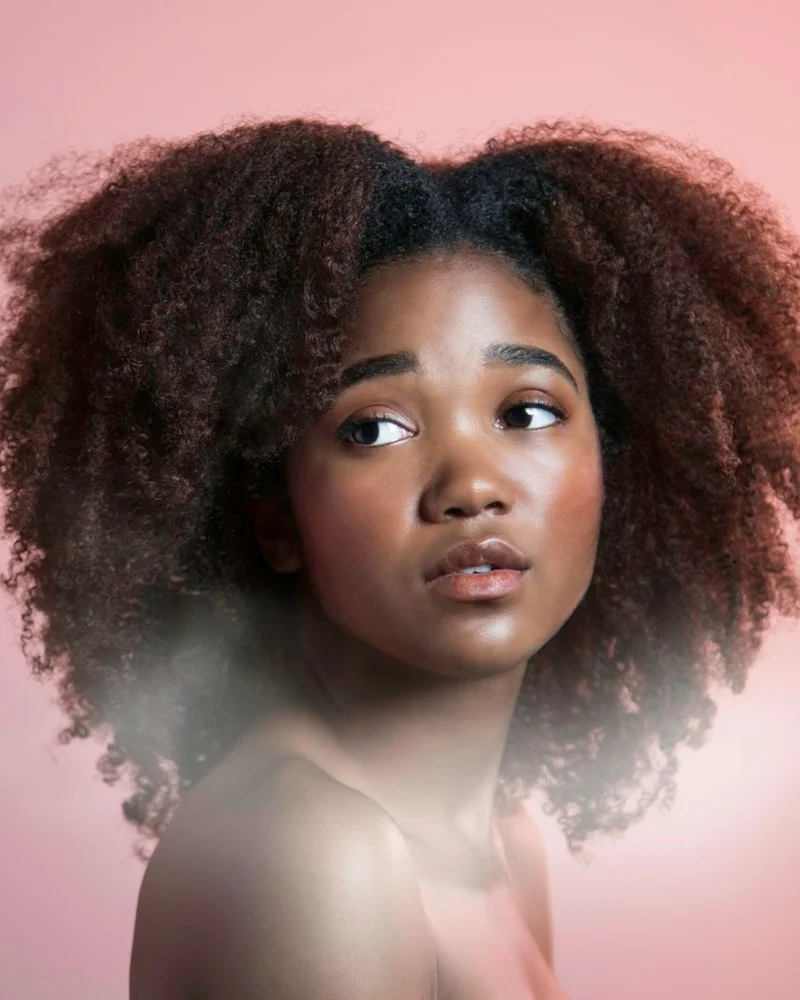

Try a mainstream hair color changer on dark hair and the same three complaints recur in App Store reviews: platinum looks “see-through,” black resembles marker, and blonde turns flat yellow. Most tools bucket-fill a new hue over the hair pixels. That floods the lightness where texture lives, collapsing highlights, shadows, and strands into the waxy “highlighter” look people describe.
This AI hair color changer works the other way around. It changes hue and saturation while leaving each pixel’s original lightness intact, so highlights, shadows, and flyaways stay where the photo put them. It cannot honestly paint dark hair platinum when that lightness was never captured. More on that in the next section.
What Going Lighter Really Costs — the Number This AI Hair Color Changer Shows First
Cross three levels and you are into bleach. Past four, it is more than one salon appointment — and the range where hair is most likely to break.
1–2
levels lighter — one visit, colour deposited, no bleach
3
levels — bleach territory starts here
4+
levels — several visits, weeks apart, and where hair breaks
Colorists use a 1-to-10 depth scale: 1 is black and 10 is platinum. The level control beside the shade grid reads your starting number from the photo, then calculates how many levels each shade would require.
One or two levels can usually happen in one visit; three enters bleach territory; four or more often takes several appointments and brings greater breakage risk. This AI hair color changer would rather tell you the number first. For orange rebound or brassy yellow after lifting, the hair color wheel shows which correction color cancels each unwanted tone.
Grey Coverage Isn’t the Same Problem as Ordinary Dye
Grey is not less pigment — it is no pigment, which is a different job for the dye. Of the fifteen hair color apps I tested, one of the biggest names scored a flat zero here: no grey option at all.
1 / 15
One of the biggest names scored a flat zero on grey coverage — it had no grey option at all.
Ordinary dye shifts pigment already present; grey hair has little or none, so the same formula can look thin or patchy. That is why this AI hair color changer sorts grey coverage into its own dedicated group instead of treating it as an ordinary dye shade.
I tested fifteen mainstream hair color apps against real photos for grey coverage. One of the biggest names scored zero: it offered no grey option at all.
Why the Same Blonde Glows on Her and Turns Grey on You
The dye is almost never the variable — your undertone is. The same honey blonde that lights up warm skin reads grey and washed-out on cool skin.
Warm skin
The blonde amplifies warmth already there — it reads lit.
Cool skin
The same blonde fights the skin's pink cast — it reads grey.
The same honey blonde can make one person glow and another look tired. The difference is undertone: warm, cool, or neutral. Honey amplifies golden warmth, while the identical shade can fight cool, pink-leaning skin and read grey.
The AI hair color changer above samples your undertone straight from your photo the moment it loads, then stars likely matches under ★ For You. Prefer a quiz? The what color should I dye my hair quiz uses the same logic. If you know your season, the Bright Winter hair color guide and its sister guides narrow the shade. The hair color ideas board adds upkeep and lift context. Start from the shade the AI hair color changer stars, then read on.
How to Take a Photo the AI Hair Color Changer Can Work With
Even light, a background that is not the colour of your hair, and nothing covering it. None of it is required — the AI hair color changer will still try — but all of it shows.
Even light
A window facing you. Harsh overhead light or a dim room makes the depth read unreliable.
A background that isn't your hair color
Dark hair on a dark wall gives the edge nowhere to be.
Nothing covering your hair
No hat, no hood, nothing swept out of frame.
The single biggest factor in a clean preview is not the AI — it is the photo. Even light, a contrasting background, and visible hair are not hard requirements, but each one makes a visible difference to the edge and depth reading.
How I Actually Built This AI Hair Color Changer — and Where It Falls Short
By Aiyi, founder
I chose a trade. Nearly every hair color changer uploads your photo to a server for a larger model; this one downloads a 15.6 MB model and runs it in your browser. In return, your photo never leaves your device: nothing is uploaded or stored, and no sign-up is required. The one exception on this page is the “Get my full season report” button — it uploads your photo, uses one free daily analysis, and says so beside the button.
This AI hair color changer also has real limits:
- Dark hair cannot become honest platinum; the tool shows required lift instead.
- Very short hair may be under-detected, so uncertain previews are refused.
- Dim light can read too dark; correct it with the level control.
- Similar hair and background colours can leave imperfect edges.
If it helped, share it with someone still stuck in front of a color chart.
Related Pages
AI Hair Color Changer — FAQ
Is the AI hair color changer free?
Yes — it is completely free, with no daily cap and no watermark. The hair-detection model runs inside your browser rather than on a paid server, so each preview has no server cost to recover and there is no per-use limit.
Do I need to sign up for the AI hair color changer?
No. Upload a photo and try shades without an account, email, or credit card. Only the season report button involves an account, and you can still run that anonymously once before sign-in is offered for additional analyses.
Does the AI hair color changer work on dark hair?
Yes — the AI hair color changer renders every shade at or darker than your depth on your own photo. Going several levels lighter is different: it will not fake platinum from missing lightness information. Instead, it tells you how many levels you would need to lift and what that realistically takes.
Will my photo be stored?
No. The preview is processed entirely in your browser, so your photo is not uploaded or saved. The only exception is the separate "Get my full season report" button, which uploads the photo for a 12-season analysis and explains that directly beside the button before you click.
Can I try highlights or balayage?
Not yet — this AI hair color changer previews one solid colour at a time, including the natural, fashion, and grey-coverage shades above. Highlights, balayage, and ombré need dimensional placement that is not built yet, so the tool does not claim to preview them today.